Warcraft III resources & community, 2003–2006 · archived

HeroRangerGhost.mdx

not rated
Submitted by GreyArchonUnits - Humans429 downloads173 KB
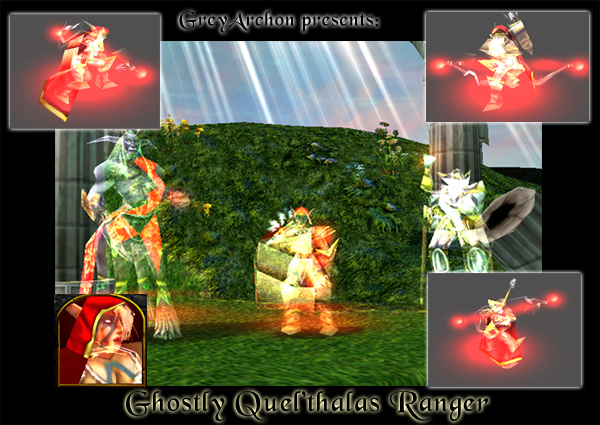
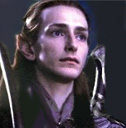
The ghosts of Quel'thalas cry out for vengeance! Simple model edit, which I needed for myself. But I thought I'd share, so here you go. Enjoy.
Model
HeroRangerGhost
Polycount
485
Textures
1
  • Skin 1 Textures\GhostlyRanger.blp
Animations
13
  • Anim 1 Stand
  • Anim 2 Stand - 2
  • Anim 3 Stand - 3
  • Anim 4 Stand - 5
  • Anim 5 Death
  • Anim 6 Attack - 1
  • Anim 7 Attack - 2
  • Anim 8 Spell
  • Anim 9 Walk
  • Anim 10 Dissipate
  • Anim 11 Stand Hit
  • Anim 12 Stand Victory
  • Anim 13 Stand Ready
Download

Comments

23
It's cool man! Keep up the good work!!!
Hmm. When using the opacity change, you dont get the nice glowy effect though.
Yah cool.... but you can get the same effect here if you change the units opacity with a simple trigger. The results are exactly the same lookin as his but the portrait changes too. then just change the animation speed in the editor and then you end up with a ghost that walkis like a ghost should. Nice tho
Impressive indeed... I don't know how you made the ghostly effect but good work.
the model is simple but usefull,try making one that looks more bansheish.
3/5 nothing to hard
As long as it looks good in-game...I'll dl it on saturday when I'm back on my computer. :)
Rightfield's TTOR has several units that glowed in a translucent manner
The cape's ghosty too, don't worry. It looks good in-game. I changed its' skin so it isn't covered in black smudges- they'd be the shading on the original unit, but on the ghost, they look very messy- so I removed em.
It looks good. But in the screenshot the cape isn't ghostly. And I can't try it in-game because I'm not on my computer. But I won't rate because it might just be the screenshot.
I wasn't criticising, to me the result is what counts, and here the result is good :D
I think the icon might need some work, it's too obvious that it's just an in game screenshot. What did you change with the cape?
the portrait face looks like a solid figure...try changing that


Oh? You tried it in-game?
the portrait face looks like a solid figure...try changing that
oh wow. Filtering changed to additive. :P


Simple model edit, which I needed for myself. But I thought I'd share, so here you go. Enjoy.


Besides, I made an icon for it. Oh, and without custom skin, the cape would've looked retarded. ;) So there's more to it than that, ol' chap.

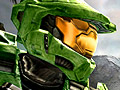
oh wow. Filtering changed to additive. :P
I made a small tut, althouth its confusing, its the basics of how you do it. I was trying to help a nub.

http://www.wc3campaigns.com/showthread.php?p=638987#post638987
Yeah...ok...very er...good... 3/5 cause like u said it was just a little edit. :P
make Portrait ghost. :D


.. The portrait IS ghosty-like? o_O

At least this imitate's Rightfield's "Crystal" units


Who least the what now? What crystal units?
At least this imitate's Rightfield's "Crystal" units
make Portrait ghost. :D
Good stuff, gj GreyArchon.
Well there ya go then. :)
I might make a few more 'Ghost' models... Priestess of the Moon, Paladin.. they'd work well.
Good idea (it's a very small modification, but who cares as long as the result is good and useful for people who can't do it themselves).
I wanted to make one one of these days too, for a mission in my campaign.
And yes, you really need that custom skin too. Otherwise, the cape looks all shitty. >:[ Fogomfgomfgom.