Torch wrote: model itself doesnt look so bad, but animations dont work (at least in viewer) and texture you sent is empty file
The texture is already a Warcraft 3 texture, so you don't need to import it!
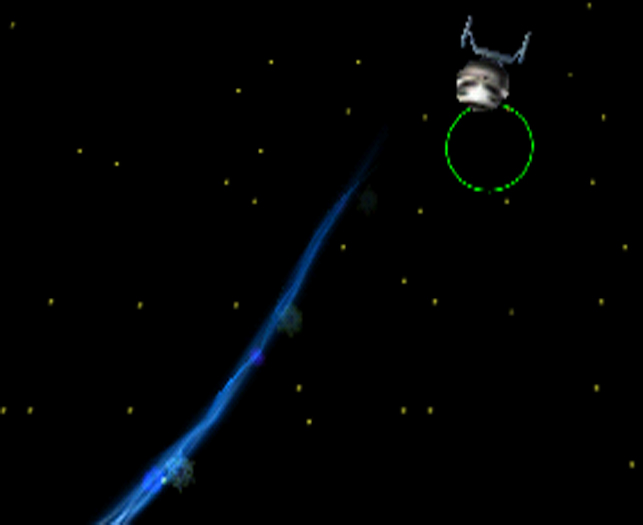
Nazghul_Master wrote: Sorry to say but what the hell is this? I can only see a weird pointy thing in the universe.
Did you even Import the model and try it out in WE/Warcraft3 game? or did you just see the "cursor" in the old screen shot and, thought that was the model? ;p
Born²Modificate wrote: Mhm make a bigger Screenshot plz.
I submited a new screenshot which is larger and shows the model a bit better, hope you like.

btw - it takes a little time to load, so be patient please.
Also, who ever downvoted it to a 1 please show you face and tell me why so I can give you what for, you *** *** *****, lol j/k >
>
If anyone has trouble importing the model, just remember to check the tutorial, also if that does not work it is because it gives too many steps, here now is how
this model should be imported:
1) Download the model, right-click on the .zip file and go, "extract all" or "extract here".
2) In World Editor (WE) create a new map or, open the map you want to add this to, and goto "import manager" and click the Import file button.
3) Browse to where you have the model file, it will be in the directory you downloaded it to. Select it and click "open".
4) change nothing, not the path, nothing! Do not import the texture either!!!
5) Save map, close WE, reopen WE, load your map.
6) Goto "object manager" and, select the unit you want to change into the "NX-01 Enterprise" look for the "Art - Model used" and double-left-click it to get the properties to change it, select "imported" and choose "NX-01" save, close "object manager" and the NX-01 should be there, that is if you placed the unit ofcourse, if you haven't, DO IT NOW!!!
Well, that's enough for now kiddies...
...I have uploaded a new version here for you all to see, so if you want the new version, redownload this model, it now has 2 textures and looks a little more fancy, "with red front to the nacell".


 plz
plz