Warcraft III resources & community, 2003–2006 · archived

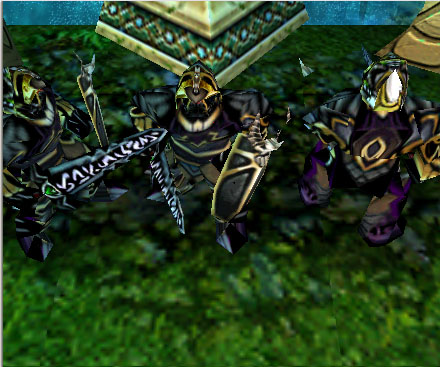
DarkGuardian.mdx

5 / 5 (5)
Submitted by eXciTeUnits - Undeads1,363 downloads189 KB
Model
Bandit
Polycount
378
Textures
4
  • Skin 1 Textures\Skin.blp
  • Skin 2 Textures\gutz.blp
  • Skin 3 units\undead\herodeathknight\herodeathknight.blp
  • Skin 4 units\Creeps\Revenant\Revenant.blp
Animations
14
  • Anim 1 Stand - 1
  • Anim 2 Stand - 2
  • Anim 3 Stand Victory
  • Anim 4 Attack - 1
  • Anim 5 Attack - 2
  • Anim 6 Walk
  • Anim 7 Stand Defend
  • Anim 8 Walk Defend
  • Anim 9 Death
  • Anim 10 Decay Flesh
  • Anim 11 Attack Defend
  • Anim 12 Death Fire
  • Anim 13 Stand Hit
  • Anim 14 Decay Bone
File unavailable

This entry's record survives but its file did not. 231 of 14,336 resources are in this state.

Comments

10
When i try to dl this i get "page can not be displayed".
Please fix the link so i can download this beuty.
nice
5/5
....cool... :wink:
I think the download link is down. The screenshot looks really nice though. I'm not going to rate it until the link comes back. Thx
-Blue
Looks very nice! :shock:

Lets test it...

:!: omg I cant dl it! :!: :x
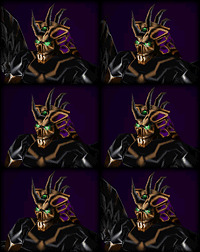
I understanded i just have to copied the camera area in mdl and i have portrait :D :D thanks for the vote
Im not a modeler, but i thought the portrait is an animation, I sometimes c models with a 'portrait-1' animation

'bout da model, I've nevah seen a model like this. looks nice. give it a 5/5
Whell thanks .. but still i dont know to make portraits/cameras. :?
good :D 4\5
Ok this is my second model... i haved problems with merging ,i tried 1 weak to put a damn sword in hes hand ... omg :D
The skin belongs to Mc!( from CorruptionKnight ) i just croped to half the skin.
But still i dont know how to make portrait ... the model doesen't have portrait .. maybe someone give me a link to a tutorial pls