Warcraft III resources & community, 2003–2006 · archived

LoadingScreen.mdx

not rated
Submitted by CrazynutterEffects737 downloads106 KB
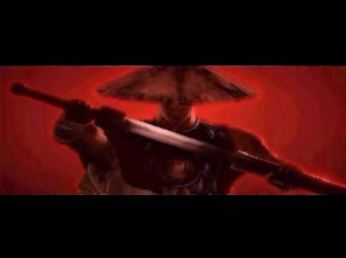
Animated Loading screen from Blade Artist --Made by Snaky
Model
CustomLoadingScreen
Polycount
8
Textures
4
  • Skin 1 1.blp
  • Skin 2 2.blp
  • Skin 3 3.blp
  • Skin 4 4.blp
Animations
1
  • Anim 1 Birth
Download

Comments

13
Great work Snaky! 5/5.
:D :D :D :D :D
Nice! :D 5of5 stars from me :)
wow. I'm using this one. 5/5 for me :)
Intriguing! 8) I'll see if I can use it in my map.

It suits samurai/ninja maps, altoug I don't see alot of them, it is niceley made. 4/5
99999999999999999999999999 OUT OF F*CKING 5!!!!!!!
*writes down Snaky and Crazynutter's names* Alrighty then look for both of your names in the upcoming Black Citadel RPG cus its GONNA be in it :D
Wow nice job snake and nutter for hosting it on here.
Awesome. Reminds me of Samurai Champloo.
Cool!! Love the idea!! Hmmmm.....That gives me an Idea hmmm....5/5!
Thanks you for submiting it http://img361.imageshack.us/img361/1483/up6hn.gif (i just can't submit model by myself...and I don't know why =/)

And it's animated,after load it loops with 4 textured animation :)
How to Use :

1.Import files into your map( 1.blp , 2.blp , 3.blp , 4.blp , and loadingscreen.mdx
2.Delete the war3mapImported part of the file name
3.Go to Scenario -> Map Loading Screen -> Imported File, then pick your imported File

P.S I take no credit for the loading screen, the whole thing is snaky's Work