Warcraft III resources & community, 2003–2006 · archived

RedInfernal.mdx

not rated
Submitted by evilwart-dragonUnits - Deamons1,923 downloads548 KB
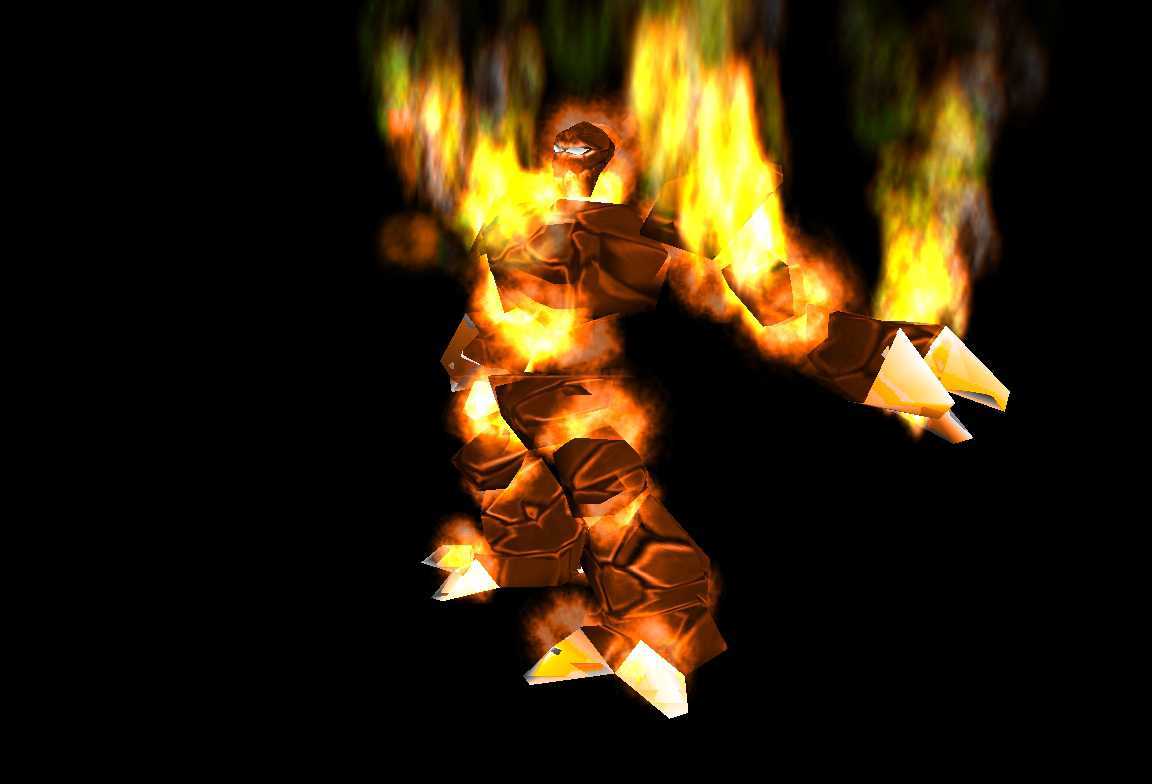
At last the Red Infernal! For some reason one blp isn't with it... so it is isnt as perfect as the screenshot (the yellow flames around the infernal have a green tint).
Model
Infernal
Polycount
978
Textures
4
  • Skin 1 RedInfernal.blp
  • Skin 2 Redclouds_anim1_bw.blp
  • Skin 3 RedClouds8x8.blp
  • Skin 4 RedYellow_Star.blp
Animations
10
  • Anim 1 Stand
  • Anim 2 Stand 2
  • Anim 3 Stand 3
  • Anim 4 Stand Ready
  • Anim 5 Attack
  • Anim 6 Attack 2
  • Anim 7 Walk
  • Anim 8 Birth
  • Anim 9 Death
  • Anim 10 decay
Particles
6
  • Particle 1 BlizParticleShoulderLeft
  • Particle 2 BlizParticleHandRight
  • Particle 3 BlizParticleShoulderRight
  • Particle 4 BlizParticleHandLeft
  • Particle 5 BlizParticleNeck
  • Particle 6 BlizParticle02
Download

Comments

8
man this models sucks because it thosen't work

Both Infernal dosen't work for my but the portrait do plz plz plz plz plz help help
Try testing your map. It sometimes shows up there like it won't in the WE.

Actually I'm pretty sure those SS's were taken in the WC3 Viewer with a black backdrop, because the fingers show up white in Viewer and they're white in both the SS's.

By the way, if you want to fix that problem with the flames being the wrong color, the reason is that the RedClouds8x8Grey.blp file is missing, so the game replaces it with just Clouds8x8Grey.blp. You can fix it by using the WC3 Viewer to extract Textures\Clouds8x8Grey.blp as a TGA, using GIMP or Photoshop, etc. to tint the clouds reddish, and save it as RedClouds8x8Grey.tga and opening it in WC3 Image Extractor. Then save it with IE as a BLP and you can import it like any other skin. Worked for me.
:cry: :cry: :cry: The models has a file path error i see only the gren blck cubus on the map :cry: :cry: :cry:
Pls repair it :lol:
can you pls meak a Icon for the redinfernal?
Is there a way to make it look like the screenshots? I'm sure there was a texture used to make it look that way in the editor. Why not distribute it, for both infernals?
Hmm, it doesn't work. Could you give the file path?
The paths shown don't work.
wow cool thing, but shouldn't those fingers be red? The original one has green ones