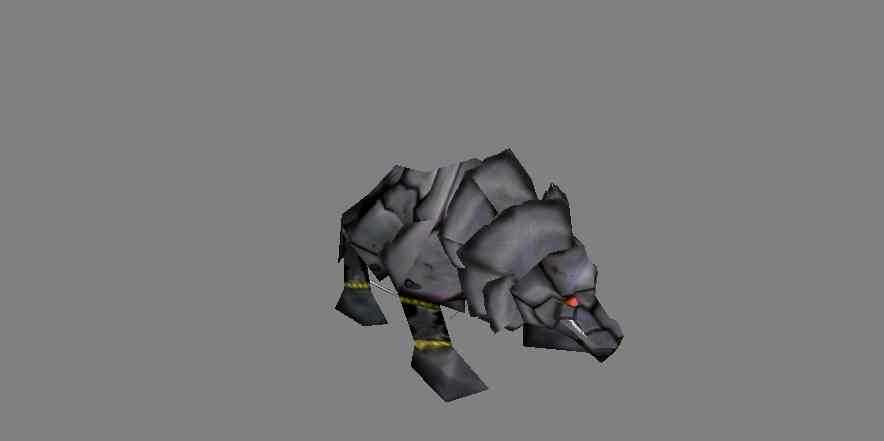
just give it a few different colours lights about 3-6 lights would brighten up the skin. Make the metal a bit shiny and 5/5 (3/5 right now)
Comments
16not bad esp since its a wolf and they have hair all over wich makes it hard to find places to turn it into a machine. could do with some metal textures on the plates, scratch marks and dints and stuff. 3/5
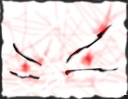
1 more thing i added, i made the hair into those plates on it's neck, if you look at a regular wolf tou'll then c, that they're diffy.
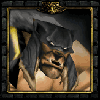
looks like an armadillo 
The linez on the face dont look that good but the rest is alright.

doesn't look that bad, but needs to be more shiny
i dont have photoshop, but i'll c if my program has those tools.
Still to flat, take the dodge brush at a medium size and low opacity and go over the upper middle parts of all the plates. Then Burn all the lower parts of the plates.
Ok, i edited it, giving it light scratches and colors that shows it has been in battle, BUT! i didn't add screws cos it's a heavy armored, robattle wolf, and it has wiring behind the enhanced plates.
You should give it lights, lol. Lighting brings all skins to life.
Hardly looks robotic, show some gears and add more rivets and screws, not to mention something flashy to make it stand out.
The metal is shaded poorly. Needs highlights and scratches. Could probably stand to be burned a bit more in certain places.
Don't forget also that metal isn't stricted grey, add some very light color variations in.
The metal is shaded poorly. Needs highlights and scratches. Could probably stand to be burned a bit more in certain places.
Don't forget also that metal isn't stricted grey, add some very light color variations in.

Looks more like a rock wolf from the screenshot. A few more rivets here and there and a more silverly tint might give it the right robotic appearance.
pretty good, needs some shading, and reflection, like look at some of the armor of the good skins around here, that might give you a good idea how to make it look more metallic.
lol relax metabee 
he just gives you tipps how you could make it better (in his opinion)
and in my opinion his opinion isnt this op...ah...bad xD
if you want to let it like it is then let it this way
he just gives you tipps how you could make it better (in his opinion)
and in my opinion his opinion isnt this op...ah...bad xD
if you want to let it like it is then let it this way
OK(ignored by 90%) i'll add sum blue(not). (Ignored by 100%)
Ur advice sux Wormskull, and your opinion even more, and you suck x neverending, 4 now on i'll ignore you and i i'll pretend you don't exist. from now on.
Ur advice sux Wormskull, and your opinion even more, and you suck x neverending, 4 now on i'll ignore you and i i'll pretend you don't exist. from now on.

add a blue tint. otherwisely it looks like metal, but greyscaled. the unwrap can look like some kind of metal, but on the metal it doesnt really, you're not drawing on a plane, you be drawing on a model