this is great, now i can change the mdl file slightly so i can include both skins at the same time and hav e the fearsome Burkazzri brothers come to life
WOOOOT
quality work here, fits in the game
urkdrengi did some great work on that skin and youve taken it in another tangent, horizontal i reckon (that sounds like a good direction)
otherwise nothing really worth criticising so *thumbs up*
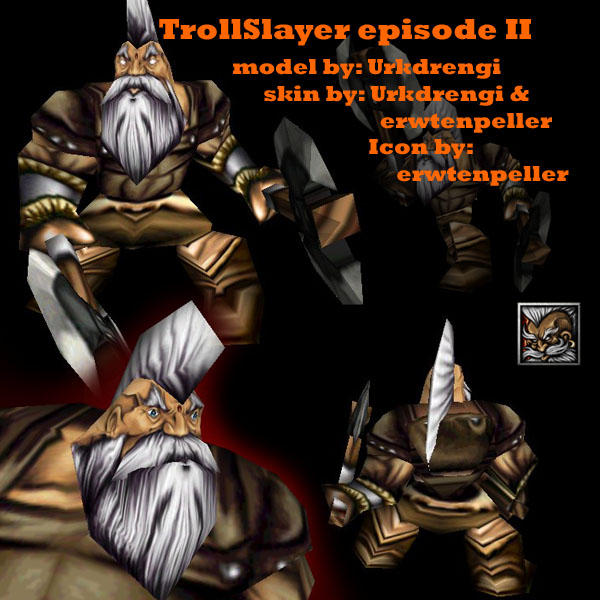
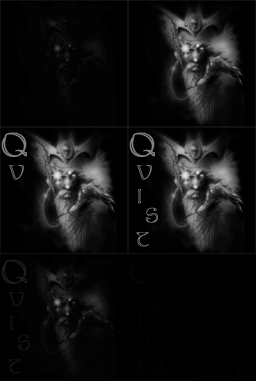
yeah thats what kinda motivated me to do this... as i only changed the chest and head. hes just less of a berserker now really, the original with the blue tattoos really had that mad rabid dwarf thing going on, i just aged and calmed him down a bit..
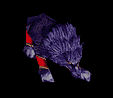
meh, doing it in a post is just fine, and that way i can have it the way i want-- exactly the way i want. urkdrengi must have the proper crdit, as the hands, the legs, the skirt and the axe are all his texture and the model is his.
i resise to 200%, do the skin, take the shots and then resize it back to 100% and save the .blp. so the shots are actually kind of a cheat to see more detail. but i always check the 100% versions and the loss of detail is so minute you wont notice it ingame ^ ^'', its just nice if you can present your skin in a higher quality picture, so everyone can see the full effort you put into it.
its no big deal, as i said before, the loss of detail is so small you wont notice it ingame. at all.
as for the caveties in his skull... meybe he does have a skull deformation who knows... it does make him that little more badass. though i did my best to make him a little friendlyer looking then the original skin ^ ^.
another goal was, to make him look a little more unique, especially the head, who looked too much like the original mortar head...
looks really good as usual. got a question for you though. How do you get it so detailed, I deleted my skins off here a while back because I was trying to improve on the crispness and clarity. I use an old version of photoshop (version 4) a better question might be, do you use a larger resolution when making it then shrink it down to 256 again? Because I always just did then straight 256, and the smallest brush never seems to be as small as some of the curves in some skins of yours I've seen. Just wondering what method you use to have high detail but not too large file size.
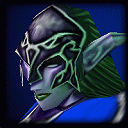
gotta love your sharp and detailed style. not too complex or blurry. simply remove this horrible valey next to his eyes. unless hes a skeleton with a deformaty, i dont see why it would look like this. put some skin over that. you should pay attention to that, since the portrait is the second most important thing.
apart from that, good job erwtie, keep making stuff.
i dont dislike the site, the utilities here are verry nice and orderly, what i hate is those rat-bastards of moderators that are too lazy to delete all the crap that is polluting the site. then again... what would be left?
i just set it up here becouse the model is also here for dl... where i originally got it from is www.thehubb.co.uk
EDIT: just HAVE to say though that i am happy about the directors choice folders, those make up for all the crap. though i think they should be less strict about that... yeah i know, i am confusing
it seems that codes dont work in the preview screen, so here it is again:
Edited Urkdrengi's skin for his Dwarf Troll Slayer model. the icon can be found here. I kinda made it becouse i am bored of wc3 models, and am still waiting for some custom ones in the making to do, so i diceded to just grab this awesome model and make a new texture. its too bad the orginal texture allready is verry good, when i changed the face and the chest it allready felt done, so i didnt really change anything else... xD