Warcraft III resources & community, 2003–2006 · archived

Ion Tower Coordinate System

not rated
Submitted by Arksword(sv)Systems301 downloads28 KB
Screenshot
Screenshot
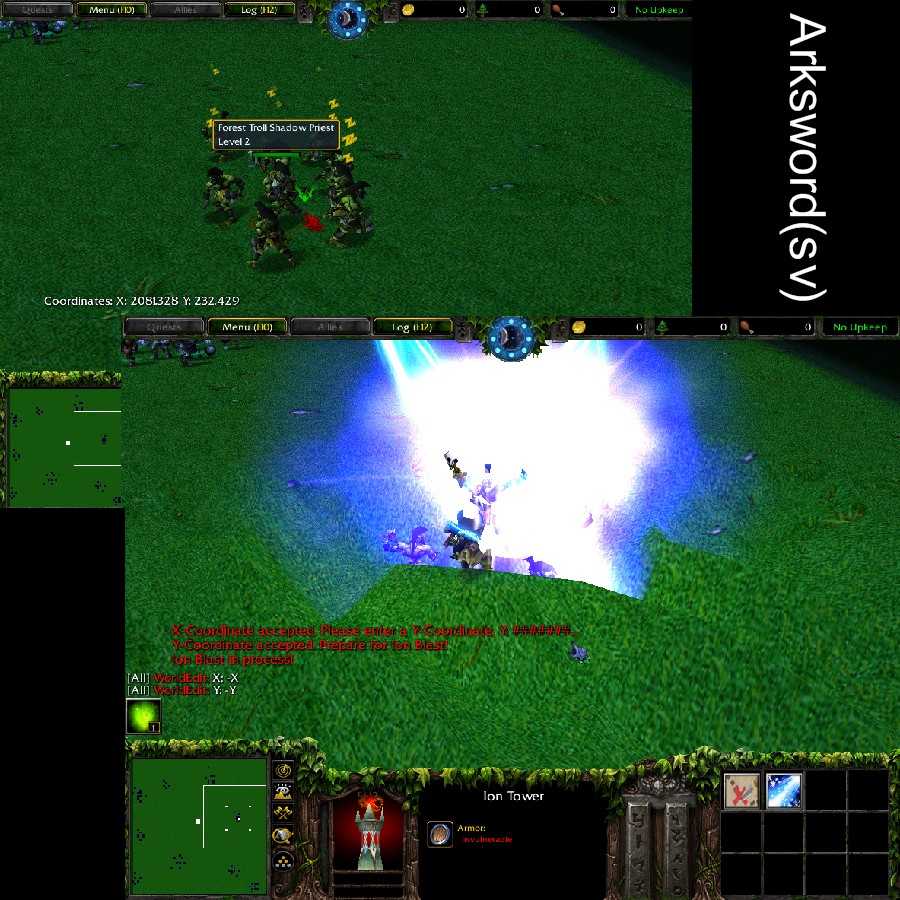
Yes, it is confusing. Yes, it is fun, and strategic. You use coordinates to plot targets for Ion strikes using your Ion Tower. Don`t worry, you need not figure them out alone. You can find them with the "Find Coordinates" skill but everytin else is up 2 u!
File Name
Ion Tower.w3x
Author
Arksword(sv)
Download

Comments

7
You probably did it wrong. First you search for coordinates, then it will save them. Then you enter X: -X Y: -Y after picking direct indirect ect.
i try using the -x and -y corniteeds and add a area targeted but it just blasted aroung the tower
Ok. I added the Circular Ion blast. The typed command is Circular, but it says it on the ability anyways. I also added a Repeat Blast command. This dublicates the EXACT last Ion blast you executed, incase you didn't finish the job the first time and need to finish your work quikcly without painstakingly retyping everything. There may be bugs because I didn't test EVERYTHING. Just tell me if you find anything, and I'll fix it.
Wow, I am surprised with these comments! Yes, I had a few minor problems while making this, and beginner spell makers should stick to using points, and probably avoid typed commands, (what I did for this :x ). Uh, expect maybe two more Ion types. Defintaly the Circular blast, (I'll make it when I have the chance), and maybe a variating strike, where the Ion target moves to random points near the coordinates given. Keep roastin those sorry ass creeps with power juiced up to 1000 :D
go0d idea :twisted:
great work Arksword(sv) :twisted:
Arksword(sv) = One of the next greatest spell makers.

Very original and great, BUT pretty complicated for intermediate and lower levels of spell makers... like me. :(
Hardly a spell, or a system, and it ain't multiinstance. It's kind of useless, but I wanted to make a more military styled targeting...uh thingy. Yes, I know it could have been done loads easier, just by using point variables and such, but i wanted to use X and Y coordinates and type commands to be more realistic. It's hard to get the hang of at first, but you'll get it. I didn't add in the Circulator command yet, so don't keep typing it saying it don't work. There's only the Direct and Indirect blasts. Um, have fun. :roll:
P.S. Incase you didn't realize, you can use two approachs to get your coordinates. First use the Find Coordinates ability. You can either write the X and Y numbers down, incase you want to do it the long way, or just for future use, but it automatically stores those coordinates for instant use. Using the ability again will over right the saved ones with the new ones. So, be warned.