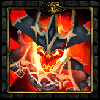
all the wording is right.. its just that some of my icons dont work period.. they are blank in the editor after closing it. re opening it re saving it nothing seems to work.. i tried with an alpha screen without an alpha screen checked the size re converted to blp several times.
Oh.. one other thing. When I re-open the TGA versions with Paint Shop Pro 7.0 it dosnt show they have an alpha layer. could that be the issue? I'm pretty sure it dosnt show it when I load it because a solid black Alpha layer dosnt tell the image to make any parts of it transparent.. seems superfluous to have it need one. Guess its something with blizzard though.
You don't need to add alpha channel from Photoshop. I never do that. Use Warcraft 3 Viewer and when you do the conversion from TGA to BLP it will ask you if it should add an opaque alpha channel. The answer is YES! That should do it, for all those who didn't know!