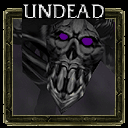
#1
where to find layers
6 posts#2
I dont believe icons have layers, skins do though.#3
i dont mean that but can i add a layer onto the icon to make it darker
#4
I'm not familar with that program but there should be a brightness option somewhere, then all you have to do is use a dark brush to fade out the edges. If you can't find the brightness option, you can always use a black brush with around 50 opacity and cover the entire image (be sure not to double click)
#5
Yes, you can add layers to icons to make them darker, the tutorial of creating icons confirms that. I don't have the computer that I usually work with, so you will have to find it yourself.#6
What i want to know is where in photoimpact you can find layering so i can add a layer to my icon.