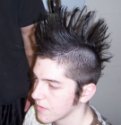
ok i tried to make my own skin of a peasant... but it simply sucks! When it was finish i had no team colours anymore and the hair was like a .... u know .... it isnt like hair anymore... and the ear is not just the ear its like a half-ear-half-black-plate.....
i made it with adobe photoshop image ready
i think i have to make parts of it transperent and stuff like this but i dunno how to do that... can some1 plZ help me out?
Skins can turn out quite bad, this is normal because skins are quite sensetive to their models. Just take more time, use many tools and try to get everything in the right places.
If you want to achieve a very good skin then I am afraid it is alot of work. Tools when skining arnt as helpful than with doing icons but yes some tools are and with Adope Photoshop you have a brilliant choice of tools. If you want to be lazy there are also textures such as hair or taking real faces and printing them onto the skin. This was exactly what was done with the Kobold model with Sammy's face placed on it. But the problem that will appeare is that it is so easy to tell it is a printed on texture or face because warcraft skins and textures are slightly different. So the choices are either:
1. Practise with the tools and use them. 2. Use already made textures from the internet. 3. Both
ok, but the only change i did 4 the 1st time was to change the eye colour... i didnt change ANYTHING anywhere else. but the teamcolour became black and the ear and the hair simply suck,
Well be careful when skinning and try to be as precise as possible - if sometimes you can a important part of a unit it may be screwed up - try selecting a part and then working on it
I did. Make sure don't skin over important parts such as the team colour sections of the units or it will change to the colour you skinned over. When skinning the ear, make sure you did it accuarately and don't do the colours off the black bits or " black " will slightly outline it