Warcraft III resources & community, 2003–2006 · archived

How to change things in your MPQ

11 posts
#1

How to change things in your MPQ

In this tutorial you will learn how to change your main menu screen and unit models for Warcraft.

Tools Needed:
-->WinMPQ<--
http://www.wc3sear.ch/?p=Tools&ID=1

Step One The first step is to open up WinMPQ. Next, press the open button and select "War3x.mpq". This will show you all of the files included in the Warcraft The Frozen Throne game. All the files are in alphabetical order.

Step Two Scroll down to the section where it says UI. Keep scrolling down until you find the file called "UI\Mainmanu\mainmenu3d_exp\mainmenu3d.mdx". Copy the path. Next, decide on the background you want your Menu to look like. Here is the list of paths to look for for the menues.

UI\Glues\SinglePlayer\NightElfCampaign3D\NightElfCampaign3D.mdl - RoC Night ELf campaign screen
UI\Glues\SinglePlayer\NightElf_Exp\NightElf_Exp.mdl - TFT Night Elf campaign screen
UI\Glues\SinglePlayer\HumanCampaign3D\HumanCampaign3D.mdl - RoC Human campaign screen
UI\Glues\SinglePlayer\Alliance_Exp\Alliance_Exp.mdl - TFT Human Campaign screen
UI\Glues\SinglePlayer\OrcCampaign3D\OrcCampaign3D.mdl - RoC Orc campaign screen
UI\Glues\SinglePlayer\Orc_Exp\Orc_Exp.mdl - TFT ORc campaign screen
UI\Glues\SinglePlayer\UndeadCampaign3D\UndeadCampaign3D.mdl - RoC Undead campaign screen
UI\Glues\SinglePlayer\Undead3D_Exp\Undead3D_Exp.mdl - TFT Undead campaign screen
UI\Glues\MainMenu\MainMenu3D_Beta\MainMenu3D_Beta.mdl - TFT beta background
UI\Glues\SinglePlayer\TutorialCampaign3D\TutorialCampaign3D.mdl - Tutorial background

Make a backup of your file and the original screen and then move onto the next step.

STEP THREE Once you have decided on the screen you want to use, right click that file and press "rename". Paste in the path for the original screen. The file you pasted into should replace the old screen file. Close out of WinMPQ and put War3x.mpq back into the Warcraft folder. Start up the game and check to see if it worked. If it didnt, you have the backups of all the files so you can set it back to normal.
#2
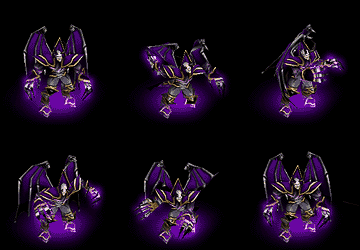
To change your unit models, you will again need WinMPQ. You will also need a custom model. In this tutorial I will use the Beta Shadowhunter.

Open up WinMPQ and press the open button. Select the War3x.mpq and scroll down to where it says "Units\Orc\HeroShadowHunter\HeroShadowhunter.mdx"and "Units\Orc\HeroShadowHunter\HeroShadowhunter_portrait.mdx". Make a backup copy of these files. Copy the first path and then delete the first file. Press the "add" button on the top of the screen and select the model you wish to have in its place. When it prompts you to put in the path, Paste in the path that you copied from the original. Do the same for the portrait file. Exit out of WinMPQ and make sure the updated War3x.MPQ is in the Warcraft folder. Test it to see if it works.

This model works in even ladder games, giving you a unique feel while playing the game.
#4
just fyi, blizzard considers 'any modification of the MPQ' to be hacking.
#5
what if ur playing b.et? Can u only see your models and they see the orginal. What if i make a net map and only uses the models in my mpq?
#6
Werewulf, I think that will result in desync... For play every player must have same version and mpqs I think. Just like with for example AMAI, every player must have it to play.
#7
but waht happens?
#8

gah

to bad blizzard qualifys this as hacking or i would change it... :(
#9

Re: gah

SeRviLyto bad blizzard qualifys this as hacking or i would change it... :(

...So if blizzard sudden thought it was a good thing you would alter your mpq...

And why alter the mpq? You could just alter the map, then it works offline and on. Altering it for 1 player is just... Weird :P.
#10
Yeah dude but tell my how can i add a new unit to the MPQ(with MPQMASTER), couse i tried, and from the MPQMASTER is ok but from the World Editor nothing happends why it doesn't work,he can't read or something my new unit...
#11
You could also change the Preferences of the editor, click File - preferences - Video - change detail of models and textures, click ok, reset these settings. This will force Warcraft to reload all the models and textures.
(font:http://wc3modforge.com/forum/showthread.php?t=10703)

i'm having some problems when trying to change. should i change in the patch.mpq or the defalt ones mpq files?
The conversation continued. After wc3sear.ch closed, 1 further reply was posted to this thread on The Hive Workshop. Read them there →