Sorry if this has been asked before but How do I open Wc3Patch.mpq? I have tried with all the .mpq files programs that I know of and I can't extract and files from it. I really want to learn how to because then I can mod skins from the patch like the firelord skin.
Thanks in advance.
P.S. If you are wondering why I put the poll in it is because I want to know how many people know how to and am I just stupid or is this something almost no one knows how to do.
Thanks but, I tried that a while ago when I open that tree window thing there is always this little plus sign on the other MPQs that I know of and I click on that to start looking in it for models, but with Wc3Patch.MPQ it isn't there. If you don't understand what I am saying I will try to reword it so it is more clear.
Ok, so I have the mpq file and I can sort of open it, but when I open the tree viewer it won't let me browse through the files there. Also if you could tell me how to take a screen shot of my screen then I could show you what I mean.
Thanks in advance.
P.S. Yes I do know about computers just I have never needed to take a screen shot outside of a game.
Strange. I can browse the files. Maybe re-install wc3 or re-download and re-use WC3 Viewer?
Btw, you can take screenshots quite easily with a screenshot programs, find loads on www.download.com or Irfanview which is downloadable on the tool section of this site.
Its cause you don't have the listfile for that particular MPQ. WC3Viewer doesn't support listfile importing, so don't even make it try to open that particular mpq
MecheonWC3Viewer doesn't support listfile importing, so don't even make it try to open that particular mpq
Like Mecheon said, even if you got a listfile you wouldn't be able to add it to W3Viewer, the only thing you can do is extract the files using an MPQ opener, like PowerMPQ, WinMPG, Ladik's MPQ Editor etc.
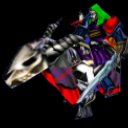


 . So when I open Wc3Patch.mpq and the open the tree viewer this is what the tree viewer looks like

