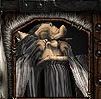
Juice_F i really like your icon and i have a request can you make for me a Web icon.Just a web of spider on a black background;too if u could make me the icon of the Herodrider in the Download section,the one by Garfield but this is less important
Well if you are that picky i guess i can make an slow icon for you.
When you look at an icon that you want to download you can see the path displayed with yellow text. It's always ReplaceableTextures\CommandButtons\ + Name of the icon + .blp
Thank you for alphaing those icons. I really like them. -On another note, in response to the last question, you set the file file in the import editor. You have to check in the box that says custom file path. Then you follow the file path instructions Juice provided in his latest post. However, you can't immediately use the recently imported icon. You have to save your map, close the editor, open it again, and load your map. Your final step is to go to the object and find the art: game interface section. Once you find it, you want to use the middle drop box since that contains the related imported things. Select the regular version of the icon since the disabled version automatically links itself to the regular version. The Dis version is for when a hero dies or when you pause the game. Hope this helps!