#1
Making weapons go bye bye
12 posts
#2
it's the alpha channel, that allows you to alpha out certain parts of the model, you can generally alpha out any part of the model except the team color parts (but ofcourse they are all diffrent)#3
i cant
on the demon hunter it didnt go away when i arrased it.... ? i saw someone else do it how do u alpha it out?#4
I know you can do it in photoshop, that's what I use, it's one of the channels like RGB thier is a window and tab for it in the channels window
#5
i use photoshop and it automatically erases the gamma and alpha (and the other 1) if u delete them, probably something to do with paint shop pro#6
Using PSP(Paint Shop Pro) go to Mask >> Load From Alpha Channel, then after you load the Alpha Channel, go to Mask >> View Mask, then Mask >> Edit Mask. Now anything you make black in Edit Mask mode will become transparent (unless it's team color) or anything you make white will become opaque (to stop team color from showing thru). Before you save the skin, go to Mask >> Save to Alpha Channel, double click on Alpha Channel 1, name the channel you are saving Alpha Channel 1, then save the skin as usual.
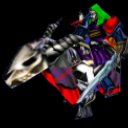
#7
I'm using paint so how do I do it in that? I need to kill the nercomancer's helm so it is just like a weapon.
#8
Paint? as in MS Paint? well I don't think you can do it in that.
#9
Use Paint Shop Pro or Photoshop to alpha it out.
#10
There is a freeware for that? 
#11
No, there is trial to you can download at www.adobe.com or www.jasc.com They both cost alot of money but worth the price
#12
Actually, there is a freeware program that I used before. It's called The GIMP. Just got to www.gimp.org and you can download it for PC or Mac.[/list]